
Speeding up a home-hosted site with 2-minute edge caching
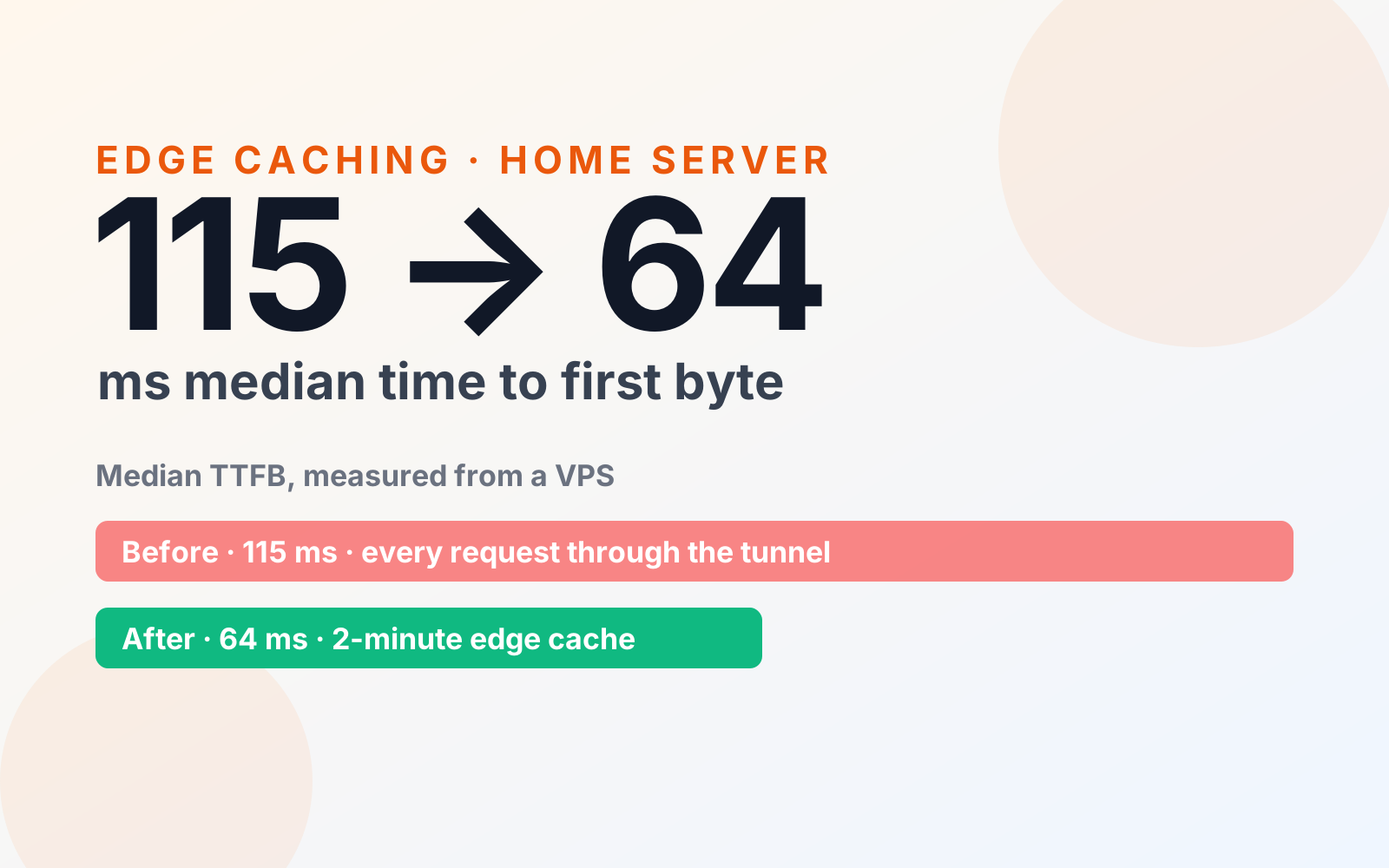
giasu.1min.app runs on a machine at home behind a Cloudflare Tunnel. Caching public HTML at Cloudflare's edge for two minutes, with strict bypass rules and an auto-purge on deploy, cut the median time to first byte from 115 ms to 64 ms.
- Company
- Personal product (1min.app)
- Role
- Owner and engineer
- Period
- Nov 2026
- Team
- Solo
 Next.js
 Typescript
 Cloudflare
Context
giasu.1min.app is a tutoring site built with Next.js. It is self-hosted on a machine at home and exposed to the internet through a Cloudflare Tunnel, so there is no public IP, no open port and no VPS bill.
The setup is cheap and simple, but it has one cost: every request that reaches the origin travels from Cloudflare to the home machine and back through the tunnel. I wanted to know how much that costs visitors, and what the cheapest fix would be.
Challenge
Measured from a VPS, the home page had a median time to first byte (TTFB) of 115 ms. That is fine for a site on a home connection, but it felt higher than it should be for a page that renders in about 10 ms.
The page itself was never slow. The trip to the origin and back was the cost.
Where the time actually went
Cache-Control: private, no-storeon rendered pages. Pages were rendered per request and told every cache not to keep them, so each visit went through the tunnel to the home machine and back. The tunnel round trip added roughly 60 ms, compared with about 28 ms for the machine's own round trip to Cloudflare.- Rendering was not the problem. The app takes about 10 ms to render the page.
- Static assets were already fine.
/_next/static/*was cached at Cloudflare and never reached home. - Compression was fine too. An uncompressed
curlshowed 94 KB, which looked heavy, but real browsers receive about 12.8 KB with Brotli.
Why benchmarking from the laptop was misleading
My first measurements ran on the home machine itself. That made the laptop both the visitor and the origin, so the request crossed the home internet connection twice. Home network noise also produced occasional multi-second spikes, plus a one-off 58-second stall that never came back when I measured from the VPS.
Measuring from a separate VPS gave a clean number that looks like a real visitor's path, and that is the 115 ms baseline above. The lesson is simple: measure from where your users are, not from the machine that serves the site.
Approach
1. Cache public HTML at the edge for two minutes
I added a Cloudflare Cache Rule for giasu.1min.app that keeps public HTML at the edge for 2 minutes. The change landed in commit 977d45d and is written up in deploy/local.md, so I can set it up again after a rebuild.
Two minutes is deliberately short. Most visitors get a cached page, and content changes still show up quickly.
2. Never cache anything personal or dynamic
Caching HTML is only safe if the rules say clearly what must stay uncached. These always bypass the cache:
| Bypass | Why |
|---|---|
/admin | Editing screens for posts, classes and tutors |
/api | Dynamic data and form submissions |
/dang-nhap (login) | Sign-in must never be shared between visitors |
POST requests | Writes, never cacheable |
| Requests with a login cookie | A signed-in user must always get a fresh, personal response |
| Next.js in-page navigation requests | Client-side navigations fetch page data that must stay consistent |
I also kept browser caching off. If browsers held their own copy, a cache purge would only fix the edge and not visitors who already had the page. With browser caching off, a purge takes effect for everyone immediately.
3. Purge automatically after every deploy
A cached page can point to an old build. The risk is real for pages with forms, such as the lead and enrolment forms, because a cached copy could post to a form handler from the previous build.
So scripts/autodeploy.sh now purges the Cloudflare cache for the giasu.1min.app hostname after each successful deploy. It purges only that hostname, not the whole zone, so the other sites on 1min.app are untouched. I can watch it with:
journalctl -u giasu-autodeploy -f
Lower is better. Measured from a separate VPS, not the home machine.
Results
- Median TTFB dropped from 115 ms to 64 ms on giasu.1min.app, measured from the VPS.
- Public pages are served from Cloudflare's edge, so most visits no longer cross the tunnel or touch the home machine.
- Short home-connection drops are cushioned. Cached pages keep working for up to 2 minutes while the home machine is unreachable.
- Deploys stay safe: the purge runs automatically, so visitors never get a stale page that points to an old form handler.
Trade-offs
- Content freshness. Edits made in
/admin(posts, classes, tutors) can take up to 2 minutes to appear on public pages unless I purge. - The home machine still matters. Cache misses, forms,
/apiand/adminstill need it online. Caching softens short outages but does not replace the origin. - Token hygiene. The deploy purge needs a
CLOUDFLARE_API_TOKEN, stored in the git-ignored.envwithchmod 600. The next step is to replace it with a dedicated token that has Cache Purge permission only, scoped to1min.app, so a leaked token could do nothing but purge a cache.
What I learned
- Find the real bottleneck before tuning. The app rendered in 10 ms and its assets were cached. One
Cache-Controlheader was the whole story. - Measure from the visitor's side. Benchmarking from the machine that hosts the site doubled the network path and added noise, including a 58-second outlier that was not real.
- Cache a little, with explicit exceptions. A short TTL plus a clear list of what bypasses the cache gives most of the speed and keeps the risk small.
- Tie purging to deploys. Caching and deploying belong in one script, otherwise stale pages will eventually point at code that no longer exists.
- Give automation the least privilege. A token that can only purge one hostname's cache is a much smaller risk than a global API key sitting in
.env.