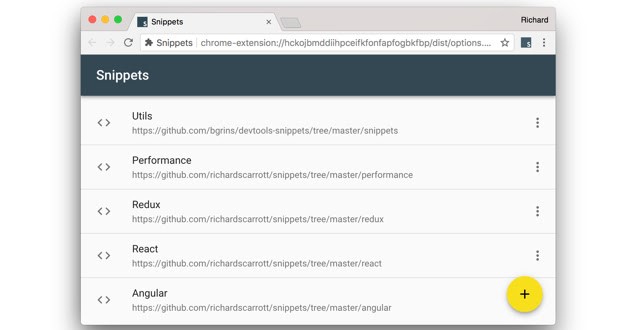
Using Snippets to Debug in Chrome
If you find yourself running the same code in the Console repeatedly, consider saving the code as a snippet instead. Snippets have access to the page's JavaScript context. They are an alternative to bookmarklets.
<h2>What is Snippets</h2> <p>If you find yourself running the same code in the Console repeatedly, consider saving the code as a snippet instead. Snippets have access to the page's JavaScript context. They are an alternative to bookmarklets.</p> <h2>Sample code with Snippets</h2> <p> Here's the snippet source code that logs some message and replaces the homepage's HTML body with a <i><p></i> element that contains the message: </p> <pre> console.log('Hello, Snippets!'); document.body.innerHTML = ''; const p = document.createElement('p'); p.textContent = 'Hello, Snippets!'; document.body.appendChild(p); </pre> <p> When you click the Run. Run button, the Console drawer pops up to display the Hello, Snippets! message that the snippet logs, and the page's content changes. </p> <img src="/contents/vsJ9UtrJHaBTXASCJmVl.avif" /> <h2>Create snippets</h2> <p> You can create <strong>snippets</strong> in the Snippets pane or by running the corresponding command from the <strong>Command Menu</strong> anywhere in DevTools. </p> <p> The <strong>Snippets</strong> pane sorts your snippets in alphabetical order. </p> <p>You can create a snippet here</p> <img src="/contents/oCTjWAPob5VqxI0GWkz6.avif" /> <p>After finishing, you can save the snippet and use it in the future.</p> <h2>Run a snippet from the Command Menu</h2> <ul> <li>1. Focus your cursor anywhere inside of DevTools.</li> <li>2. Press Control+O (Windows/Linux) or Command+O (Mac) to open the Command Menu.</li> <li>3. Type the <pre>!</pre> character followed by the name of the snippet that you want to run.</li> <li>4. Press Enter to run the snippet.</li> </ul> <img src="/contents/oCTjWAPob5VqxI0GWkz.avif" />