
Remove background from Image using CSS only
In this detailed blog post, we delve into the art of removing backgrounds from images using CSS exclusively. Discover how the powerful mix-blend-mode property can be harnessed to achieve transparent backgrounds without relying on image editing software.
In this easy-to-follow blog post, we'll explore the technique of removing backgrounds from images using only CSS, specifically leveraging the mix-blend-mode property. This method proves beneficial for crafting captivating visual effects and optimizing website performance by reducing reliance on edited images.
Why is this method valuable?
When dealing with .png files, one might assume they come with transparent backgrounds. However, this isn't always the case; they may have solid backgrounds like white or black.
In such scenarios, employing the mix-blend-mode property becomes crucial to eliminate the solid background color, creating the illusion of a transparent background.
Understanding mix-blend-mode:
mix-blend-mode serves as a CSS property dictating how an element's content blends with its parent and background. This capability allows for elegant blends and color variations within an element's content based on its immediate background. Check out this article for more insights.
To execute background removal from an image, we'll utilize the mix-blend-mode property with the multiply value, effectively eliminating the whiter sections of the image. Here's a practical example:
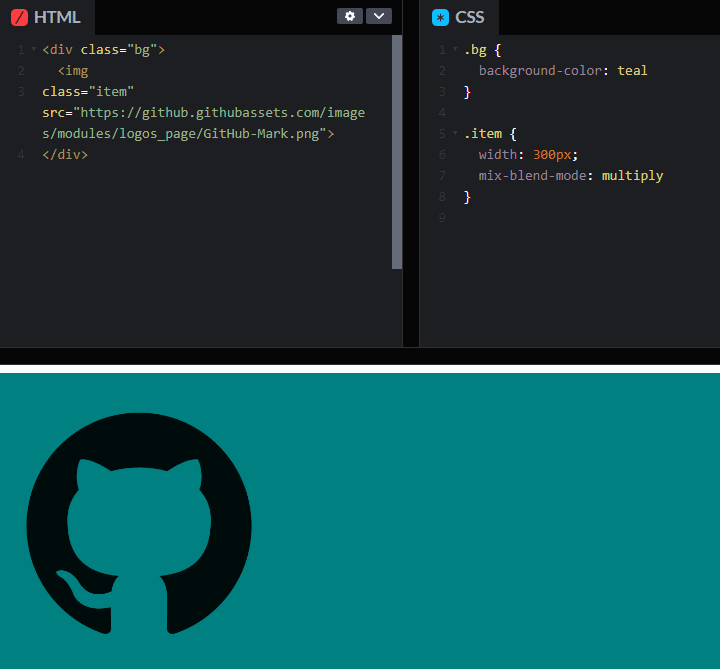
Similarly out can write this with TailwindCSS with mix-blend-multiply class name.
Thanks for watching!