
How to optimize tokens in AI work
Practical habits I use every day with Claude Code and other AI assistants to spend fewer tokens, stay under limits and get sharper answers: lean context, scoped prompts, caching, the right model per step, subagents and measuring.
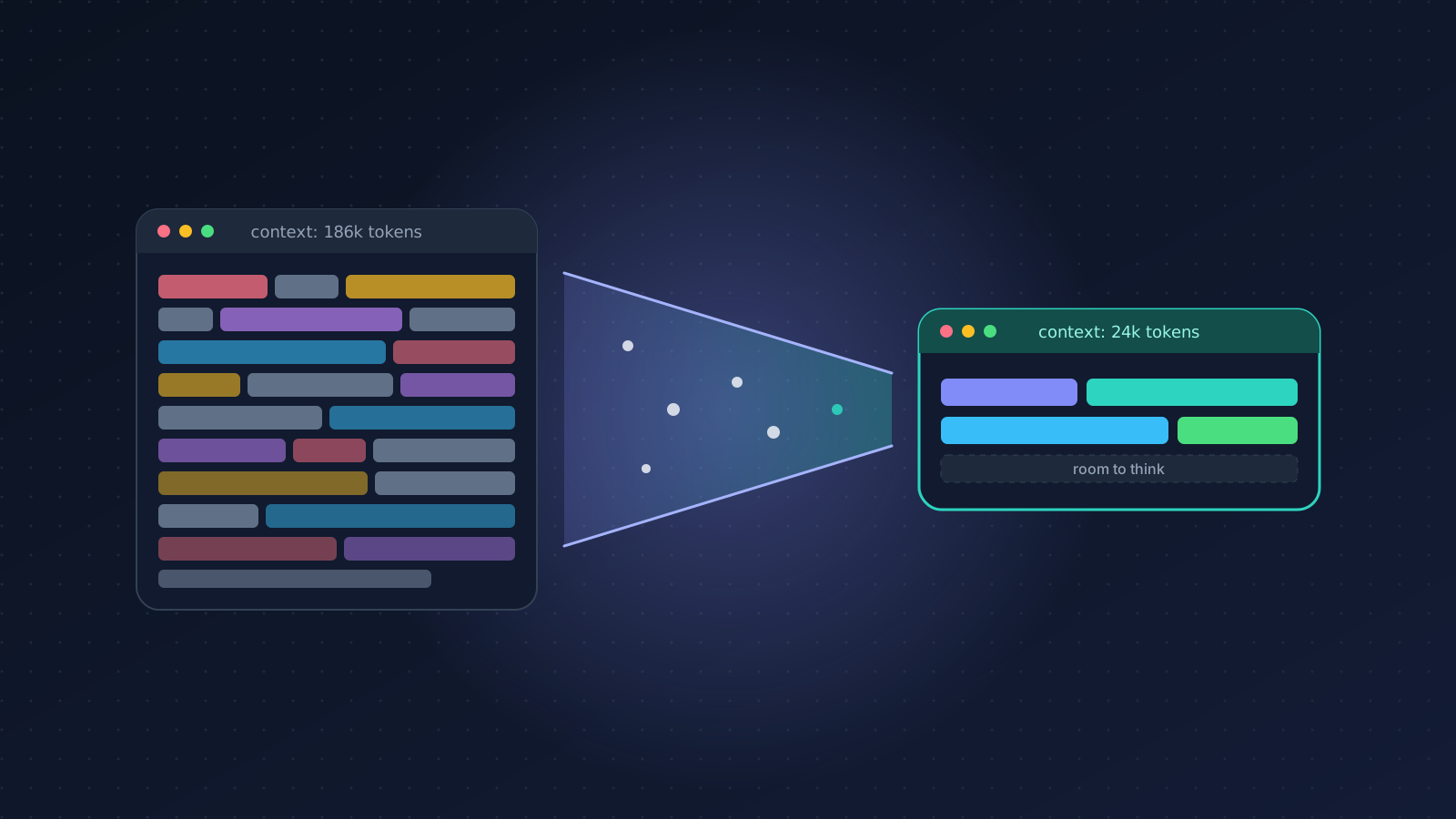
I use AI coding agents for most of my working day now. Claude Code is open in a terminal next to my editor from morning to night, and I lean on chat assistants for research, writing and data work. For the first few months I treated tokens as free. Then I started hitting usage limits by mid-afternoon, my API bill for side projects kept climbing, and, worse, the answers got worse the longer a session ran.
That last point is the one people miss. Token optimization is not only about cost. A model that has to read 180k tokens of old logs, half-relevant files and tool definitions it never uses has less room to think and more noise to get confused by. Every habit below saves money and makes the output better.
First, know what a token is spent on
Every request to the model sends the whole context again: the system prompt, tool definitions, your project instructions, every file the agent has read, every tool result and every message so far. Then the model writes its output on top. In an agent loop that runs 40 tool calls, the early context is paid for 40 times.
So the cost of a session is not "my prompt plus the answer". It is roughly:
cost ≈ context size × number of turns + output
That formula tells you where the leverage is: keep the context small, and keep the number of turns that carry a big context low.

When I run /context in Claude Code on a messy session, the picture usually looks like the top bar: unused MCP tool definitions, whole files that were read "just in case", and a long conversation about a problem I already solved. The bottom bar is the same task done deliberately.
1. Keep the context lean
Start a fresh session per task. This is the biggest single win. When I finish a bug and move to a feature, I run /clear. The old conversation is not helping; it is just being re-sent on every turn. If I need something from it, I write two lines of notes into the new prompt instead of carrying 60k tokens of history.
Compact long sessions on purpose. When a task genuinely needs a long session, I use /compact with a hint about what matters, for example /compact keep the failing test names and the decision to use a queue. A summary I steer is much better than an automatic one that happens at the worst moment.
Turn off tools you are not using. Every connected MCP server puts its tool definitions into the context of every request. Five servers with twenty tools each can cost thousands of tokens before you type anything. I keep project-specific servers in the project config and disable the rest.
Keep CLAUDE.md short. Project instructions load into every session, so they should hold what the agent can't figure out by itself: how to run the tests, the non-obvious conventions, the one command you must never run. Not a copy of the README, not a history of the project. Mine are usually under 60 lines.
2. Scope the prompt and the files
Vague prompts are expensive because the agent has to explore to find out what you meant. Compare:
# Expensive: the agent has to explore to guess
"Fix the login bug"

# Cheap: the agent goes straight to the right place
"Login fails with 401 after token refresh.
Refresh logic: server/auth/refresh.ts (refreshSession).
Failing test: tests/auth.spec.ts
  'keeps session after refresh'.
Fix it and run only that test."
The second prompt costs me fifteen seconds to write and usually saves a few hundred thousand tokens of exploration. I include:
- The exact file paths and function names I already know.
- The error message or the failing test, verbatim.
- What "done" looks like, so the agent doesn't keep polishing.
- What not to touch, when there is a tempting but wrong place to change.
3. Stop re-reading large files
Reading a 3,000-line file costs the same every time it lands in the context, and in a long session it can land there several times. Habits that help:
- Ask the agent to search first (
grepfor the symbol) and then read only the relevant line range. Claude Code's file reading supports offsets and limits; a good agent uses them if you tell it the file is large. - Don't paste whole logs. Paste the 30 lines around the error, or ask the agent to run
tail -n 100or filter forERRORinstead of reading the full file. - For generated files, lockfiles, build output and data dumps, tell the agent explicitly not to open them.
- If you keep needing the same big file, split it. A 3,000-line module is expensive for humans too.

Here is what those habits do to a typical bug-fix session. The numbers are illustrative, but the shape is what I keep seeing: the single biggest saving comes from targeted reads, not from clever prompting.
4. Let prompt caching do its job
Providers cache the beginning of your prompt. If the next request starts with exactly the same tokens, that prefix is read from cache, which is billed at a small fraction of the normal input price and is faster too. Coding agents rely on this heavily: the system prompt, tools and project rules are the same every turn.
The rule is simple: stable things first, changing things last. The cache matches from the very first token, and the first difference ends the match.

Where people break it without noticing:
- Putting the current time or a request ID at the top of the system prompt.
- Reordering tool definitions or JSON keys between calls.
- Switching models mid-session (the cache is per model).
- Editing the project instructions in the middle of a long session.
If you build your own apps on an LLM API, mark the end of the stable part as cacheable and check the cache-read numbers in the response's usage field. If they are zero on the second call, something at the top is changing.
5. Use the right model for each step
Not every step needs the strongest model. Renaming a variable across ten files, writing a commit message or turning a log into JSON has an obvious right answer; a small, fast model does it well at a fraction of the cost. Architecture decisions and the nasty bug that spans three services are where the big model earns its price.

My defaults:
| Step | Model tier | Why |
|---|---|---|
| Search, rename, format, extract, summarize | Small / fast | Mechanical, easy to verify |
| Everyday features, tests, refactors, reviews | Mid-size | Best value; my default |
| Planning, architecture, hard debugging | Largest | Judgment matters more than cost |
Two tricks make this work in practice. First, plan with the big model, execute with a cheaper one: get a clear plan, then switch with /model for the implementation. Second, escalate only when the cheaper model loops. If it fails the same test twice, that is the signal, not a gut feeling at the start.
6. Push exploration into subagents
Exploration is the most token-hungry part of agent work: opening twenty files to find the three that matter. If that happens in your main session, all twenty files stay in your context for the rest of the task.
A subagent runs that exploration in its own context window and hands back only the conclusion, something like "the retry logic lives in queue/worker.ts lines 80–140 and is called from two places". Your main session gets a few hundred tokens instead of 80k. I use subagents for:
- "Find where X is implemented and how it is called."
- Reviewing a diff against a checklist.
- Reading long docs or logs and reporting only what's relevant.
Subagents are not free (they still read those files), but their context is thrown away when they finish, and they can run on a cheaper model.
Skills follow the same idea for instructions. Instead of stuffing every workflow into CLAUDE.md, a skill keeps a short description in context and loads its full instructions only when the task needs it. A deploy checklist or a writing style guide costs almost nothing until you actually use it.
7. Summarize instead of scrolling
Long chat threads are where tokens quietly pile up. Every follow-up re-sends the whole conversation, including the three wrong turns from an hour ago. When a thread gets long:
- Ask for a short summary of decisions and open questions.
- Start a new conversation with that summary as the first message.
- Continue from there.
For multi-day work, I keep a small NOTES.md in the repo with the current state, so a new session can start from 40 lines instead of rereading yesterday's conversation.
8. Ask for less output
Output tokens are usually priced several times higher than input tokens, and they are slower to generate. A few phrases in my prompts that save a surprising amount:
- "Show only the changed functions, not the whole file."
- "Answer in five bullets."
- "Don't explain the code unless I ask."
- "Return JSON only."
For agents, letting them edit files directly is cheaper than asking for the full file in chat and copying it back.
9. Measure, or you are guessing
You can't optimize what you don't look at. The tools I check:
/contextin Claude Code shows what is filling the context right now: tools, memory files, messages. Run it when a session feels sluggish./cost(API usage) or/usage(subscription limits) shows how much a session or a period has used.- On the API side, every response includes a usage object with input, output, cache-write and cache-read tokens. Log it. A simple dashboard of tokens per task told me more than any blog post, this one included.
The usual culprit, once you look, is boring: a workflow that pastes an entire build log into the context on every retry, or a session that never got cleared. Filtering the log to the failing step is a ten-minute fix that pays off every day.
A checklist I actually use
Before a big task:
- Fresh session (
/clear) and only the MCP servers this project needs. - Prompt names the files, the error and what "done" means.
- Exploration goes to a subagent; big files are read in slices.
- Model chosen for the step: plan big, execute mid, chores small.
During and after:
/compactwith a hint when the session gets long, or start over with a summary.- Ask for diffs and short answers, not full files and essays.
- Glance at
/contextand usage; fix whatever is unexpectedly large.
Conclusion
The best part of all this is that none of it is about being stingy. A lean context, a precise prompt and the right model for the step are exactly what make an AI assistant feel smart. The sessions where I spend the fewest tokens are almost always the ones where I got the best result, because I knew what I wanted and gave the model only what it needed to get there.
If you have a habit that saves you tokens and I didn't mention it, I'd love to hear it.